Halloween Workshop: Make Your Own Box Monster
If you have questions or get stuck during this workshop, please ask the instructor for help. Have fun!
Before you begin, download and install the Arduino IDE for your operating system from the official Arduino software page: https://www.arduino.cc/en/software/ or use the cloud editor version.
Materials
-
2 LEDs (any colour)
-
1 shoebox
-
1 220 Ω or 560 Ω resistor
-
6 × 1 kΩ resistors (colour bands: brown, black, red, gold)
-
7 jumper wires (at least 2 long wires)
-
4 alligator-clip leads
-
2 ping-pong balls
-
Openings for the ping-pong-ball eyes (prepared by the instructor)
-
1 speaker (Hamberger mini speaker)
-
YX5300 MP3 player board
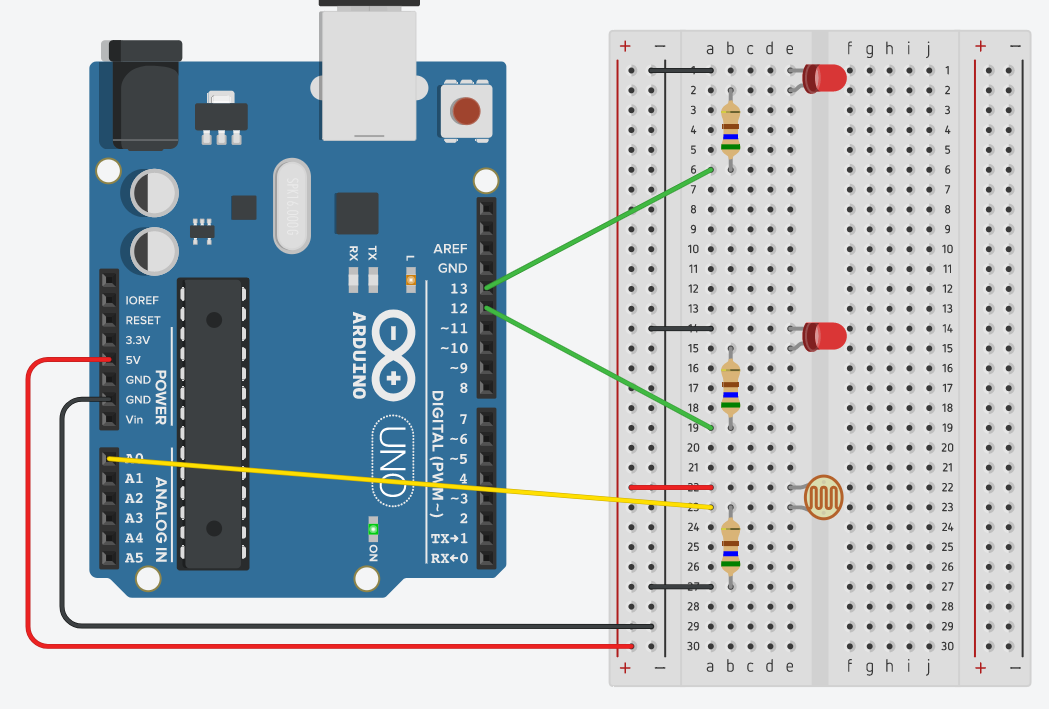
Connect the components as shown in the diagram below. Leave the speaker disconnected for now; we will add it later.
-
Using the provided USB cable, connect the Arduino to your computer.
-
Launch the Arduino IDE.
-
Open the sketch at the monsterbox1 sketch and copy its code into a new Arduino sketch.
-
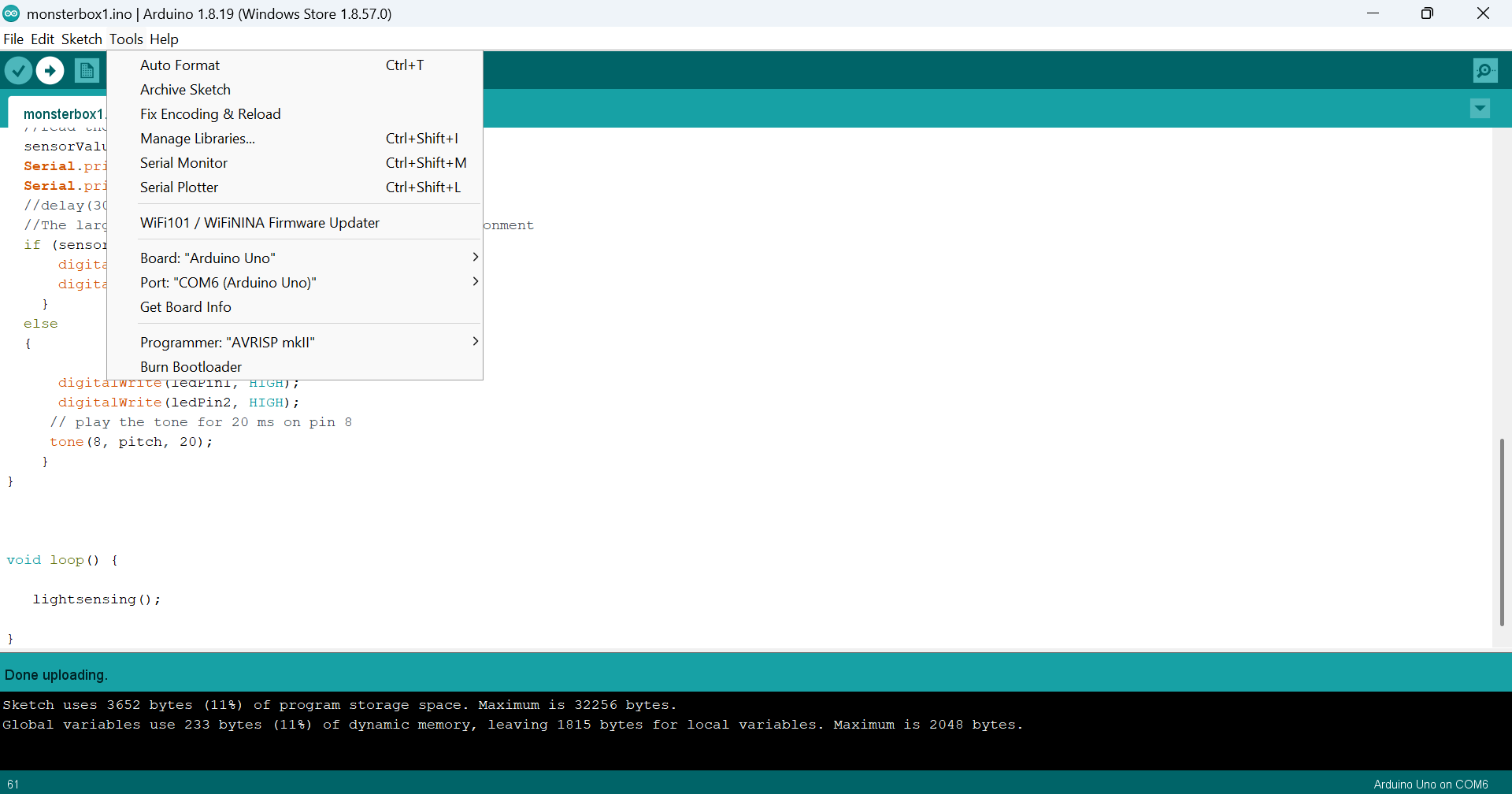
In the Arduino IDE, select Arduino Uno as the board. In IDE 2, use the board selector; in older versions, use Tools → Board.
-
On macOS, open the port selector and choose the port for your Arduino. It may begin with /dev/tty.usbmodem or /dev/cu.usbmodem.
-
On Windows, open the port selector and choose the COM port associated with your Arduino Uno.
-
-
Click Upload (the right-arrow icon in the toolbar).
-
Check that the LEDs are on. Cover the photoresistor with your finger; the LEDs should turn off. They should turn on again when you uncover the sensor.
-
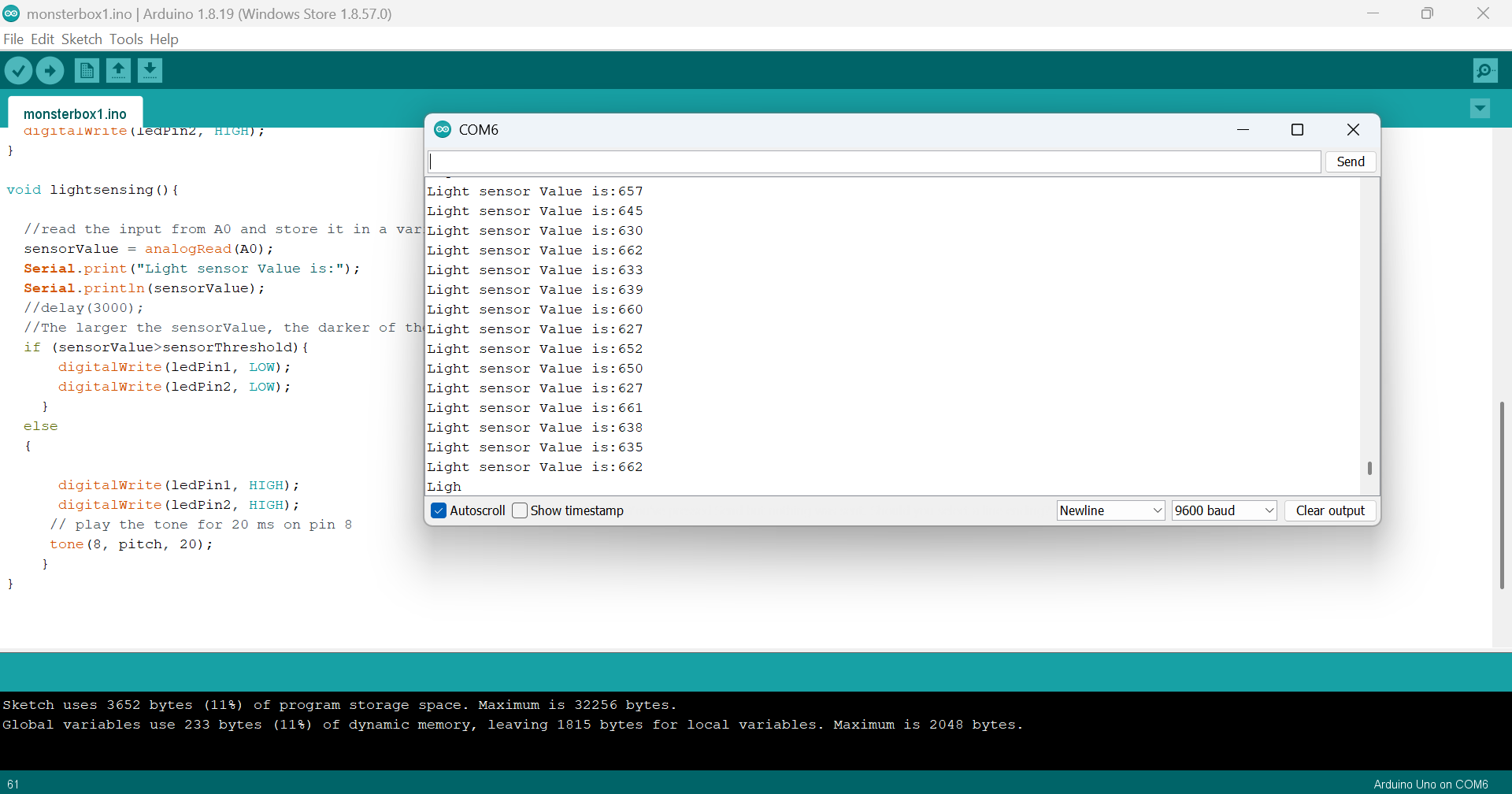
Open the Serial Monitor. You should see readings from 0 to 1023. These values represent the light level detected by the sensor. The reading should decrease as you cover the photoresistor and may reach 0 when it is fully covered.
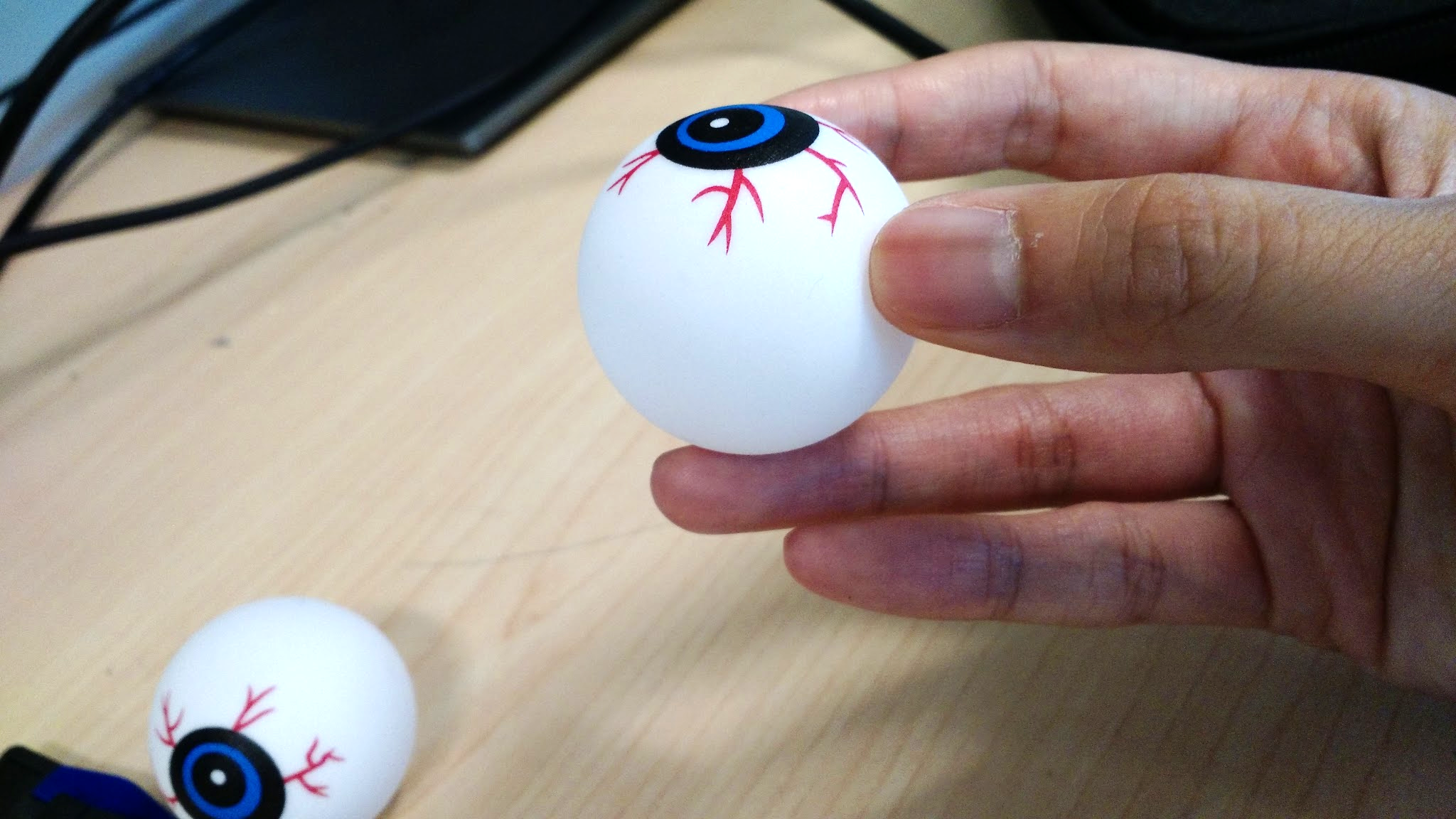
- Now we will insert the LEDs into your ping pong ball “eyes.” Cut some slits in the ping pong balls with the craft knife. Cut an X into the side of the ping pong ball (with the pupil facing up; if there’s no pupil, you can draw one with a black sharpie). Take out the LEDs and insert each one into a ping pong ball. Stick the LED legs back into the breadboard in their original position.
- Take the photoresistor out of the breadboard. We want to detect when the box is open so we want to place it somewhere it will be covered when the box is closed. Cut two slits into the box under the lip of the lid and stick the photoresistor legs through each slit. Using two alligator clips,clip each leg of the photoresistor to a jumper wire. Then plug each end of the jumper wire into the spots where the photoresistor legs used to be.
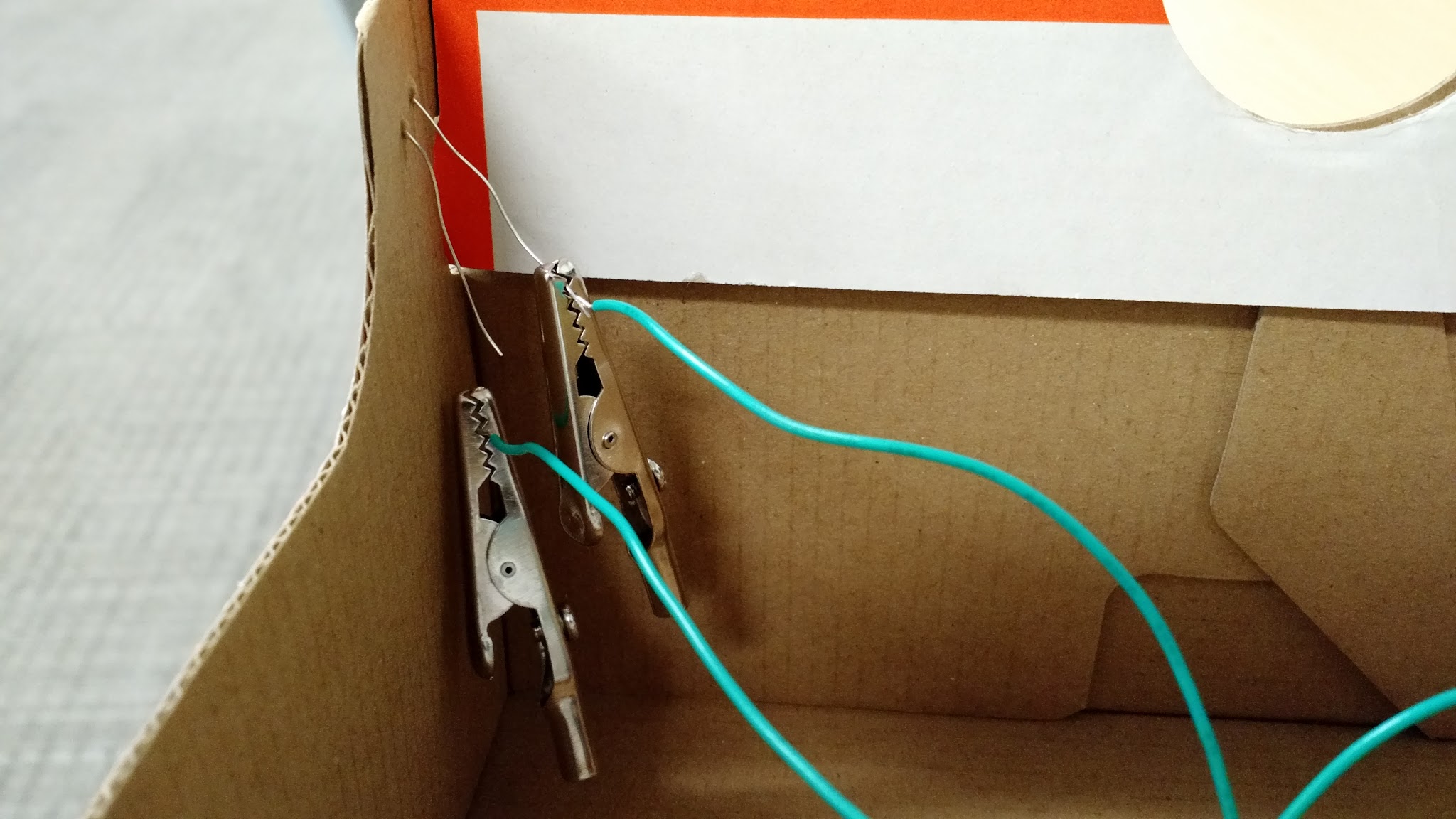
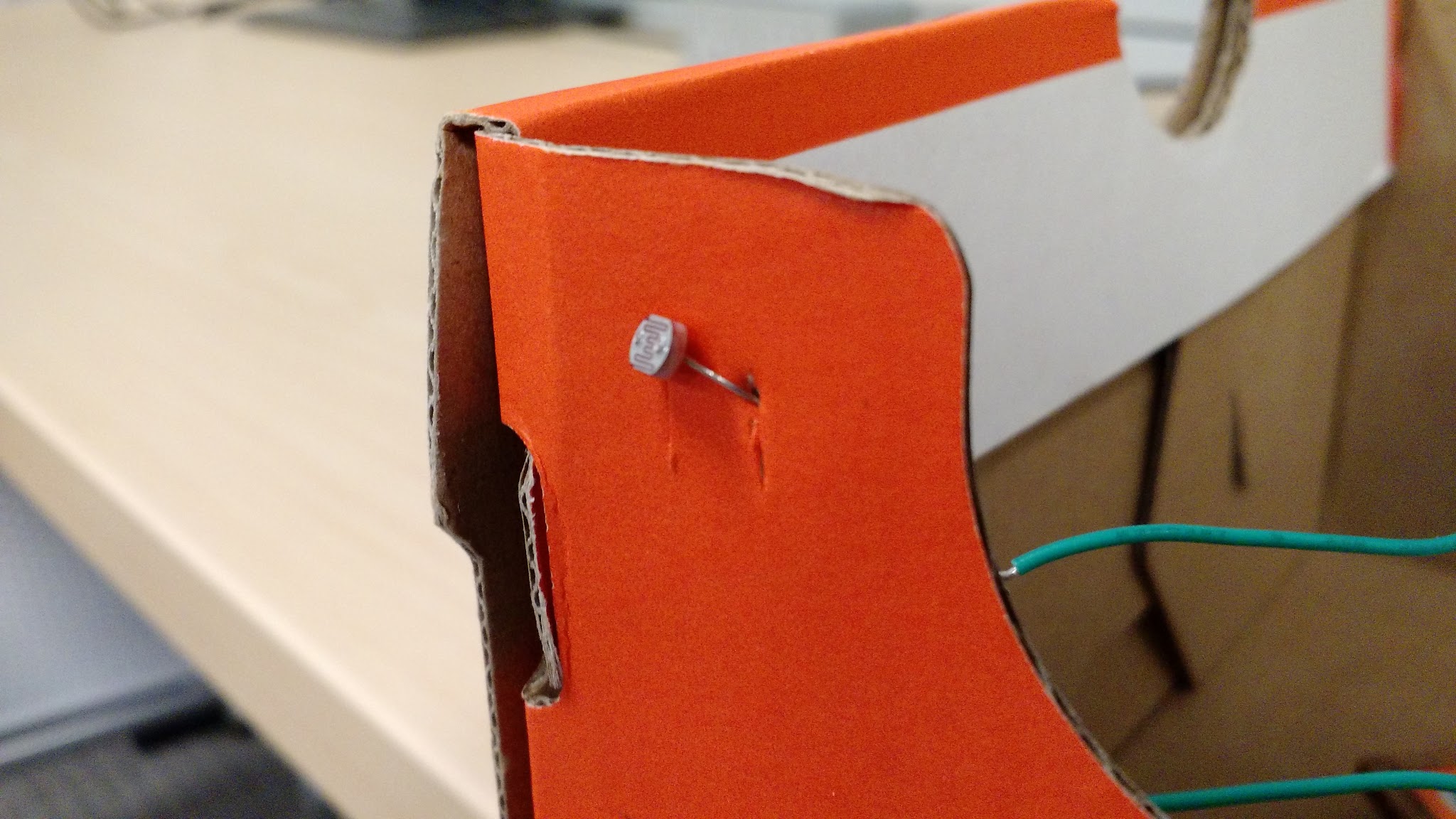
- Test your box monster by opening and closing the lid.
Box monster 1 made by participant from previous workshop. 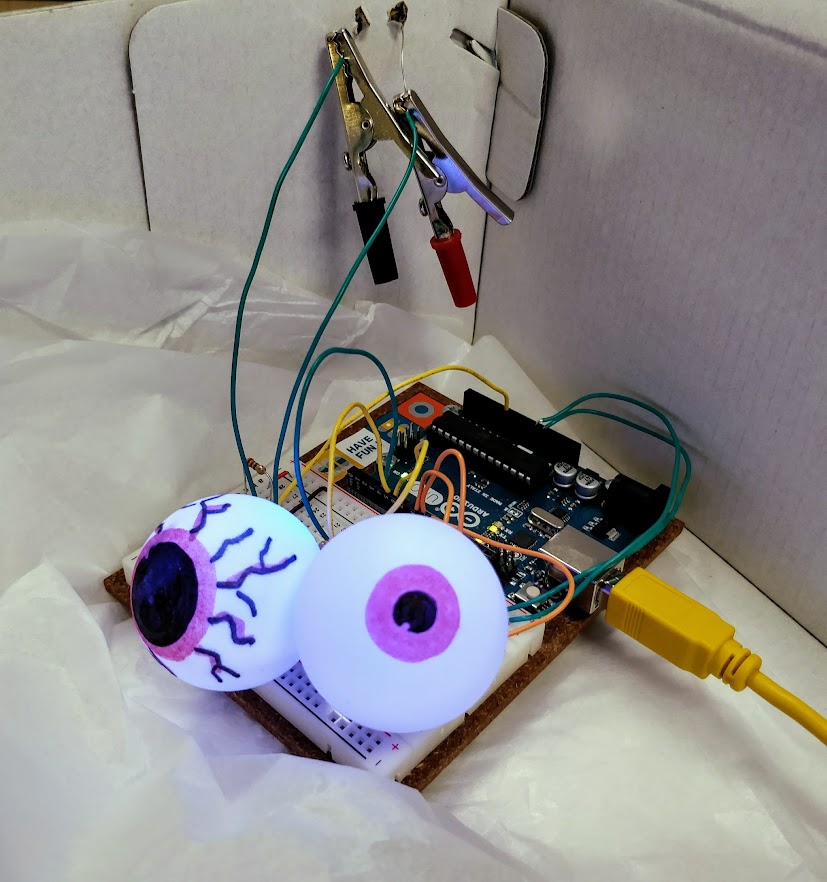
Box monster 2 made by participant from previous workshop. 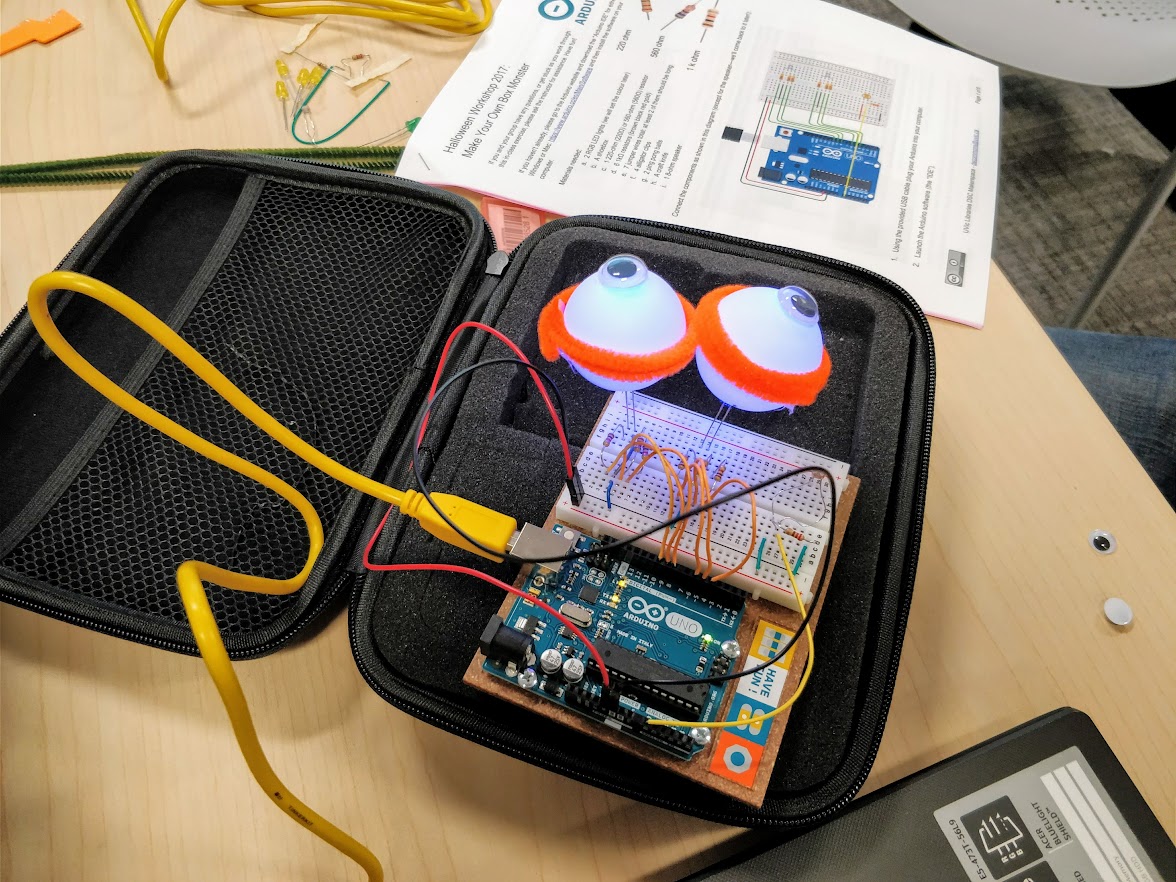
- You did it—congratulations!
Optional: Change the colour of the monster’s eyes by editing the values passed to
setColor(). For example,(0, 0, 255)produces blue in RGB colour notation. Choose an RGB colour and replace the three numbers insetColor()with its red, green, and blue values.**
Challenge: Can you make the eyes change colour or cycle through several colours? Try the colour-cycling example code. Check that the link till works before publishing, and ask the instructor for help if needed.
Now let’s add some sound!
Add a Spooky Sound
- Connect the YX5300 MP3 player, connect the speaker’s red wire to Arduino pin 11 and its black wire to GND (ground).
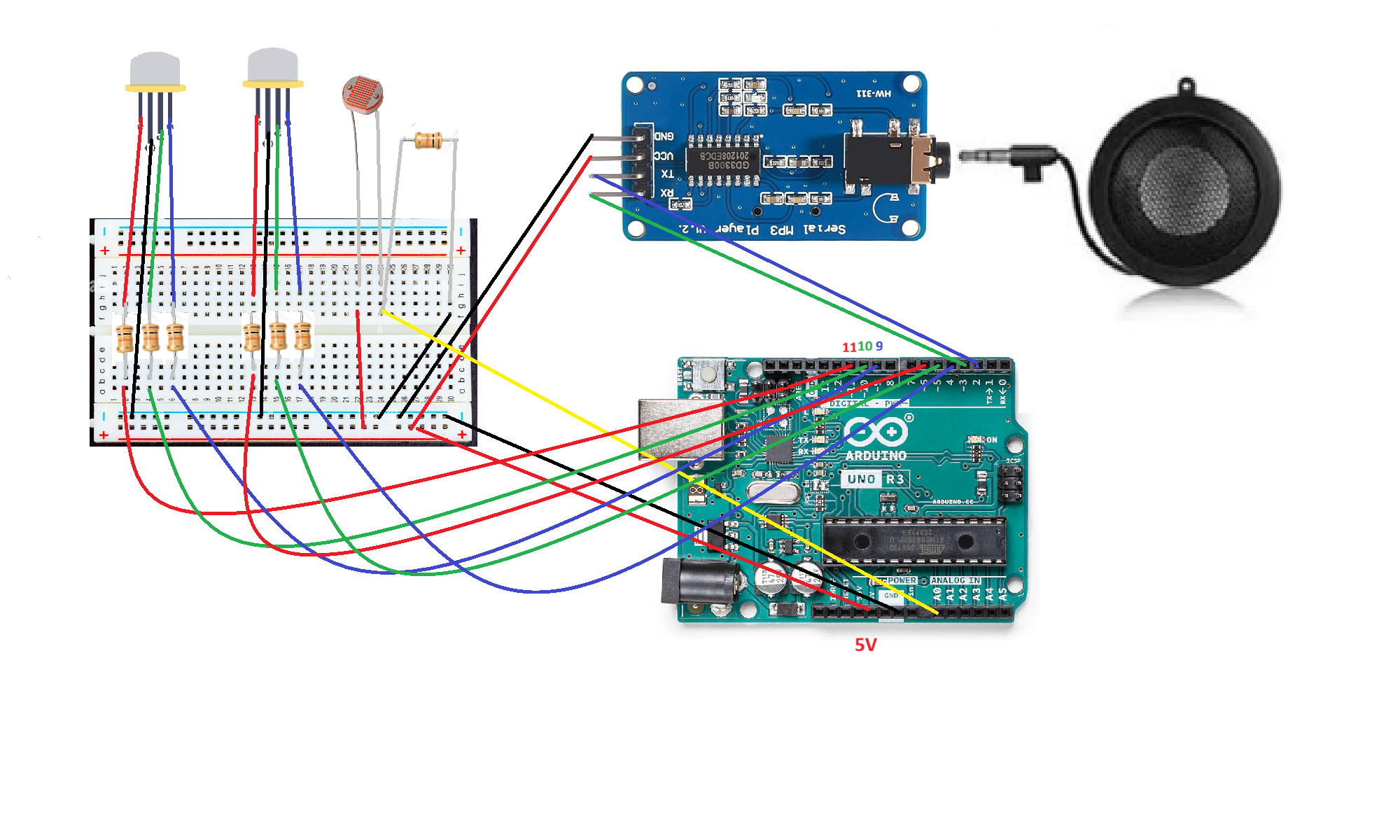
Note: The diagram uses a Hamburger mini speaker. You can use other speakers.
-
Choose a short sound file for your monster. The original workshop recommends keeping it under 4 seconds because the audio is stored in the Arduino sketch and memory is limited. Confirm that you have permission to use the sound before including it in a public project. You can explore Freesound Effects.
-
Convert the sound file in .mp3 or .wav format. For wav file, we can use online-converter.com. Check that the service and its settings are still available before running the workshop. Name for your audio file(s) in the following format: two-digit file number + three characters + file extension—for example: 01tet.wav or 02ply.mp3.
-
Take the SD card out from the YX5300 board and saved the sound files to it. Note that the file storage type must be FAT.
-
Open the sketch at the sound-enabled sketch and copy its code into the Arduino IDE, replacing the previous sketch code. Upload the updated sketch to the Arduino board.
-
Decorate your monster and box as you like. Have fun!
You may keep the box. The Arduino, breadboard, and other components may be borrowed for one week from the Music and Media desk on the first floor. Ask the DSC staff for current borrowing details.
More Halloween Decoration Ideas
The following projects use the same basic Arduino circuit and components as the Box Monster above. You do not need to rebuild the circuit from scratch: start with the working Box Monster setup, then adapt the decoration and, if you like, make small changes to the sketch. Ask the instructor for help if you are unsure how to adjust the circuit or code.
Project A: Peek-a-Boo Monster Box
Turn your Box Monster into a surprise decoration! When the box is closed, the lid covers the photoresistor. When someone opens the box, the sensor detects the light and the monster’s eyes respond.
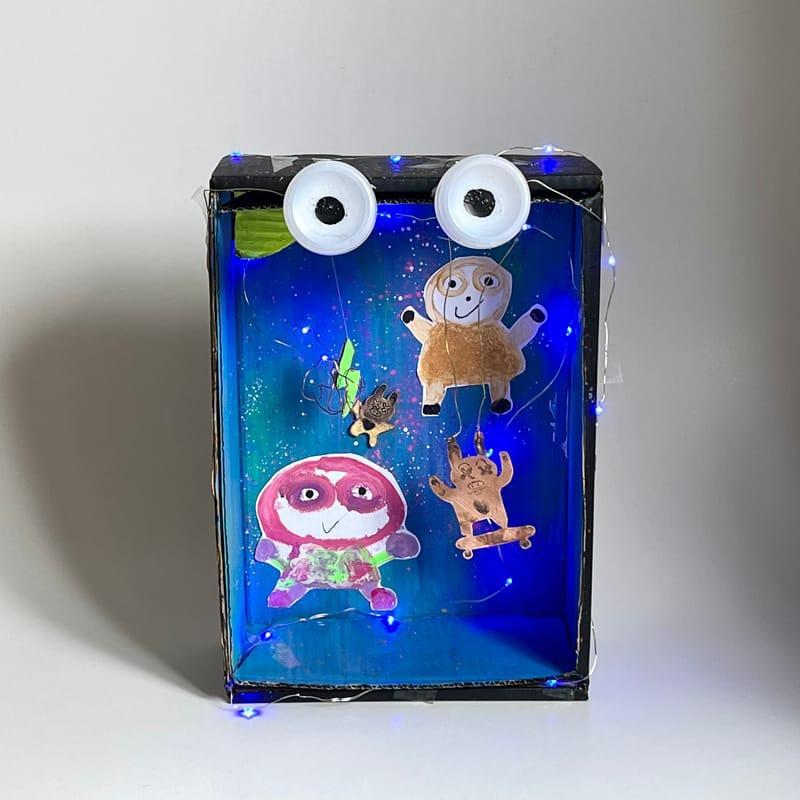 (The photo above is from/generated by ChatGPT)
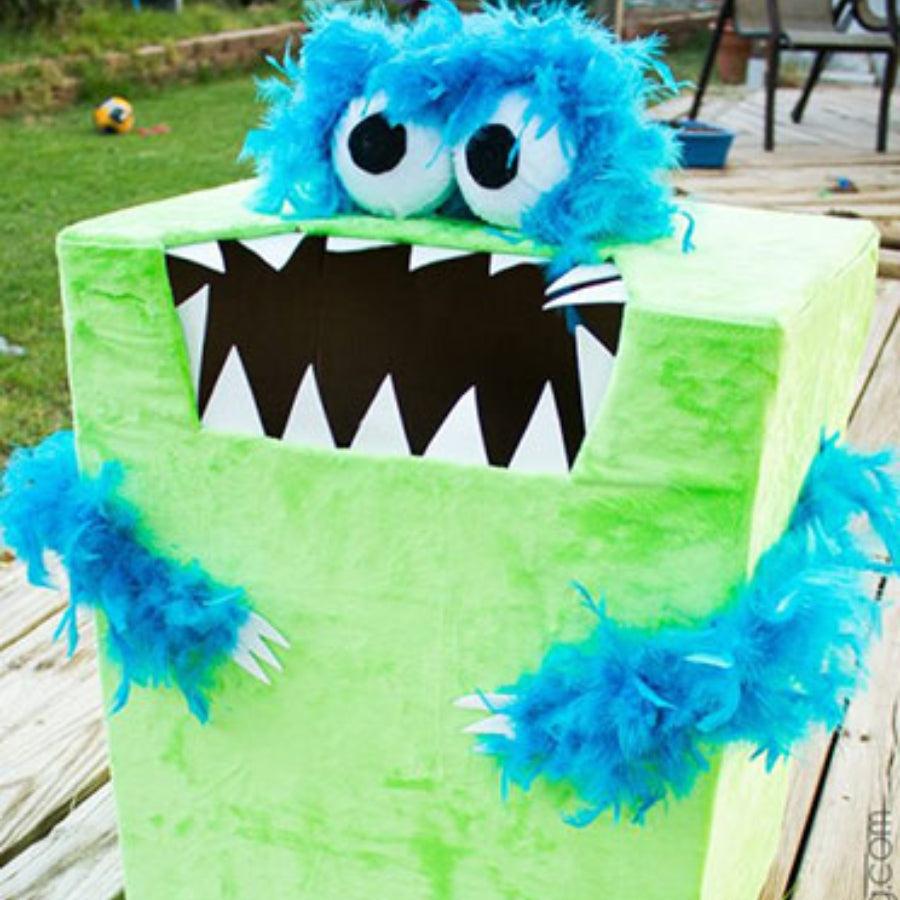 (The photo above is from/generated by ChatGPT)
What you need
- The working Box Monster Arduino circuit described above, including the LEDs and photoresistor
- A small box with a lid
- Ping-pong balls or eyeball balls for the eyes
- Craft supplies such as stickers, glitter foam shapes, chenille stems, pom-poms, letter beads, or other decorations available at the workshop
Make it your own
- Decorate the outside of the box to create a monster, haunted creature, or any character you like.
- Use the ping-pong balls or eyeball balls as the eyes. If using ping-pong balls, ask the instructor to prepare any openings needed to fit the LEDs.
- Position the photoresistor so the closed lid covers it and opening the lid exposes it to light. The detailed wiring steps are in the main Box Monster instructions above.
- Upload and test the Box Monster sketch. Open and close the lid to see how the eyes respond.
- If time permits, customize the eye colour or blinking behaviour by changing the sketch with help from the instructor.
Try this: Can you make the monster look sleepy when the box is closed and surprised when it opens? Change its face and decorations to match the effect.
Project B: Haunted Eyeball or Spiderweb Display
Use the same LEDs and photoresistor circuit to create a glowing Halloween decoration without using a box. Make a cluster of glowing eyeballs, a spiderweb scene, or a spooky mini display.
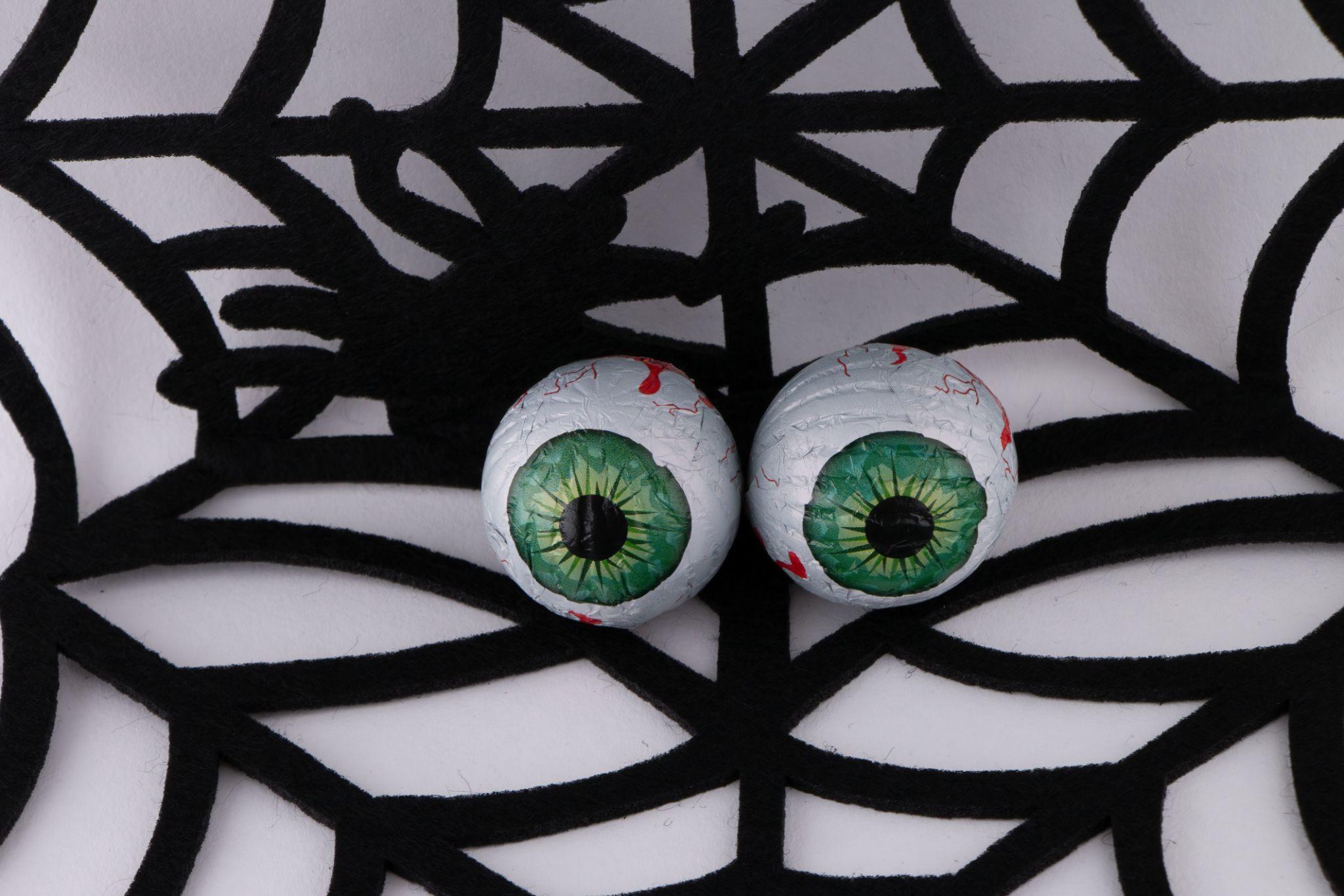 (The photo above is from/generated by ChatGPT)
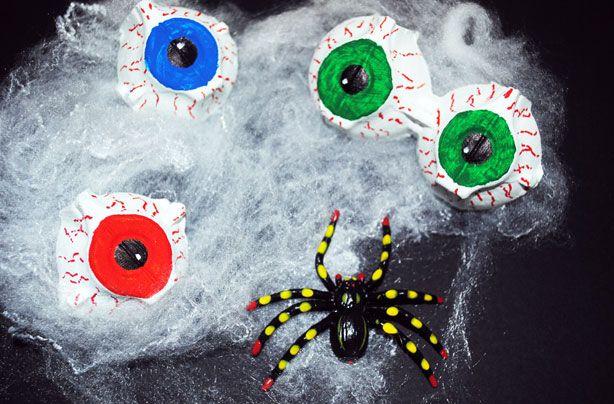 (The photo above is from/generated by ChatGPT)
What you need
- The working Box Monster Arduino circuit described above, including LEDs and the photoresistor
- Ping-pong balls or eyeball balls for the eyes (or another lightweight decoration that can be illuminated by LEDs)
- A small cardboard base or other stable display surface
- Available craft supplies such as spiderweb material, rubber bats, twine, chenille stems, stickers, glitter foam shapes, pom-poms, or letter beads
Make it your own
- Create a spiderweb or spooky scene on your display base. Arrange the eyeballs wherever you want them to appear.
- Place the LEDs inside or behind the eyeballs. Ask the instructor to help prepare any openings and secure the decorations safely.
- Keep the photoresistor exposed to the room light, where it can detect changes in brightness. The main Box Monster sketch uses this sensor to control the LEDs; your instructor can help you adapt the sensor placement and behaviour for your display.
- Test the LEDs and decorate the display around the circuit. Make sure craft materials do not pull on the wires or cause short circuits.
- For an extra challenge, try changing the blink timing or eye colours in the sketch. The main instructions above explain how to upload the sketch and edit the colour settings.
Try this: Make the eyes glow in a dark corner, or design a spiderweb display with several eyes watching visitors. The exact effect will depend on the sensor placement and any changes you make to the sketch.
Note: These are decoration variations, not separate pre-tested circuit designs. They reuse the Box Monster electronics, but the photoresistor may need to be repositioned and the sketch may need adjustment for the desired effect. Test your design with the instructor before decorating over or enclosing the circuit.