Make a Classroom Jeopardy Game in 10-Minutes!
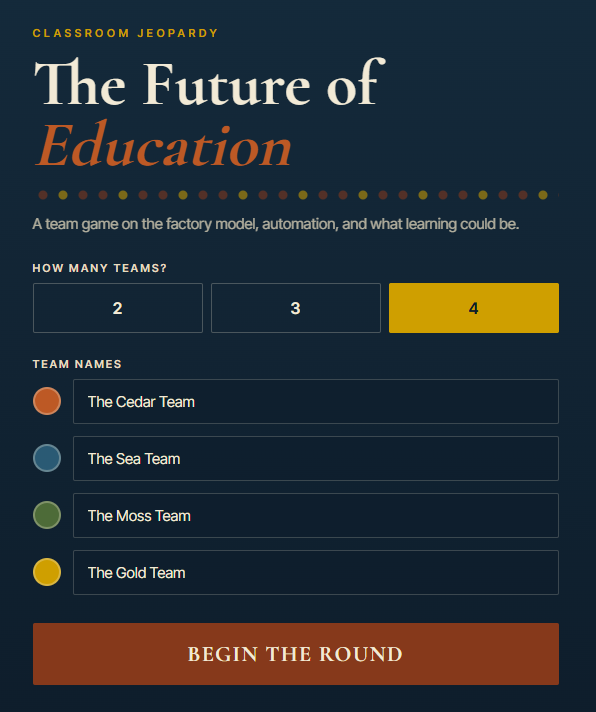
Jeopardy-style review games are a fun and effective way to help students review course material in teams. In this activity you will use a Generative AI tool to “vibe code” a classroom Jeopardy game based on the content of a web page, complete with team scoring, Daily Doubles, and a Final Jeopardy round. Here is an example of a finished game: Classroom Jeopardy - The Future of Education.
For this activity we will use this blog post as the source of the questions and answers: Is Your Smartphone Listening to You?. That said, we strongly encourage you to find a web page or Wikipedia article on a topic you know well, because Generative AI tools sometimes make mistakes when writing questions and answers, and you will be able to fact check the game content in real time as you play through it.
If you get stuck, please ask your instructor for assistance, and don’t forget to have fun!
Step 1
- You can use any Generative AI tool for this activity, but for coding I’d recommend using Anthropic’s Claude, as the free version creates more visually attractive web applications by default. Alternatively, you can use Google Gemini (which comes free with Gmail), ChatGPT, Microsoft Copilot, or any other GenAI tool that you are familiar with.
Step 2
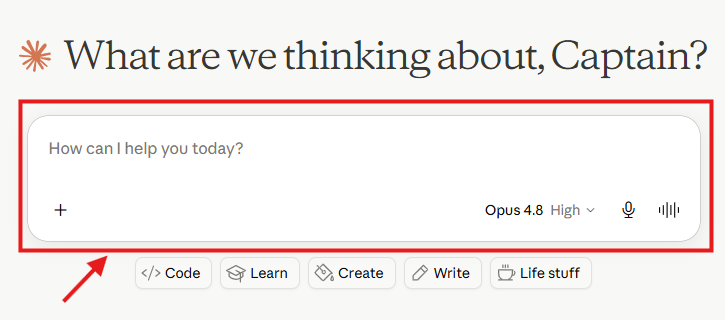
- First we will generate the questions and answers for the game, with a few extra questions in each category so that we can delete the weaker ones. Copy and paste the following prompt into your GenAI tool, replacing the web page link with a page on a topic you know well if you prefer, and if you’re using Claude, select the latest model and highest level of effort available to you (see image below). Then press Enter on your keyboard:
I'd like to create the questions and answers for a classroom Jeopardy game. Please base
all of the questions and answers on the content of this web page:
https://richmccue.com/2026/05/26/is-your-smartphone-listening-to-you/

Please create:
- 5 categories, each with a short catchy category name
- 7 clues per category, ordered from easiest to hardest (I only need 5 per category for
  the final game, but I'd like 2 extra in each category so I can delete the weaker ones)
- Clues written as answers, with the correct response phrased in the form of a question,
  just like real Jeopardy
- One Final Jeopardy clue and correct response

Please output the clues and responses as plain text organized by category, not as an app
or a table.
Step 3
- Next, copy and paste the generated questions and answers into a word processor like Microsoft Word or Google Docs, so that you can more easily verify the appropriateness and accuracy of the questions and answers.
- Open the source web page in another browser tab and check each clue and response against it, because GenAI tools sometimes invent plausible-sounding but incorrect answers.
- Delete the 2 weakest questions from each category, so that you are left with 5 good clues per category. A question might be weak because it is inaccurate, unclear, too obscure, or too similar to another question in the same category.
Step 4
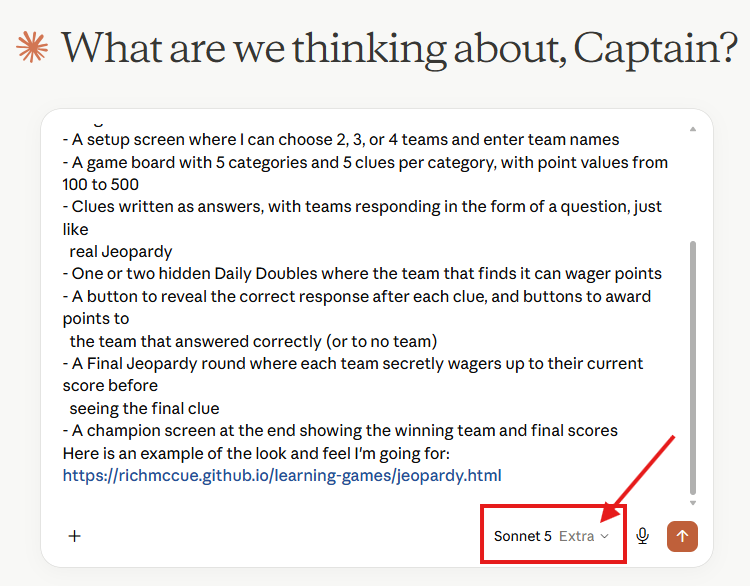
- Now we will use your verified questions and answers to build the game. Copy and paste the following prompt into your GenAI tool, and then paste your 5 categories of questions and answers from your word processor at the end of the prompt before pressing Enter:
I'd like to create a classroom Jeopardy game as a single self-contained HTML file that I
can host on GitHub Pages. Please use the questions and answers I've pasted below.

The game should include:
- A setup screen where I can choose 2, 3, or 4 teams and enter team names
- A game board with 5 categories and 5 clues per category, with point values from 100 to 500
- Clues written as answers, with teams responding in the form of a question, just like
  real Jeopardy
- One or two hidden Daily Doubles where the team that finds it can wager points
- A button to reveal the correct response after each clue, and buttons to award points to
  the team that answered correctly (or to no team)
- A Final Jeopardy round where each team secretly wagers up to their current score before
  seeing the final clue
- A champion screen at the end showing the winning team and final scores
Here is an example of the look and feel I'm going for:
https://richmccue.github.io/learning-games/jeopardy.html

Here are the questions and answers to use:
[paste your verified questions and answers here]
Step 5
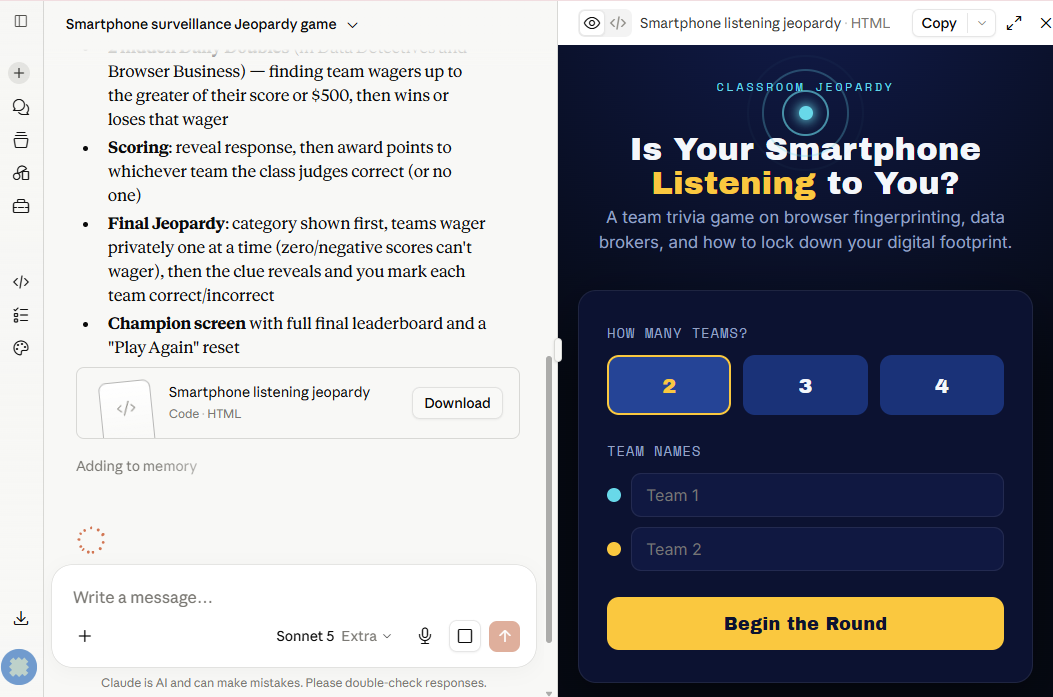
- Next we need to wait several minutes for the GenAI tool to create the HTML file for you. In Claude you will see the game being built in a preview window on the right-hand side of the screen as the code is written.
Step 6
- Once the game is finished, play a quick round directly in the preview window. This is the most important step: because you chose a web page you know well, check each question and answer against the source page as you reveal them. GenAI tools sometimes invent plausible-sounding but incorrect answers, so open the source web page in another browser tab and verify anything that looks even slightly off.
Step 7
- If you find a question or answer that is incorrect, or you’d like to adjust the game, simply tell the GenAI tool what to change in a follow-up prompt. For example:
The 300 point clue in the second category has an incorrect answer. According to the source
web page, the correct answer is [the correct answer]. Please fix that clue, and also
rename the third category to something shorter.
Step 8
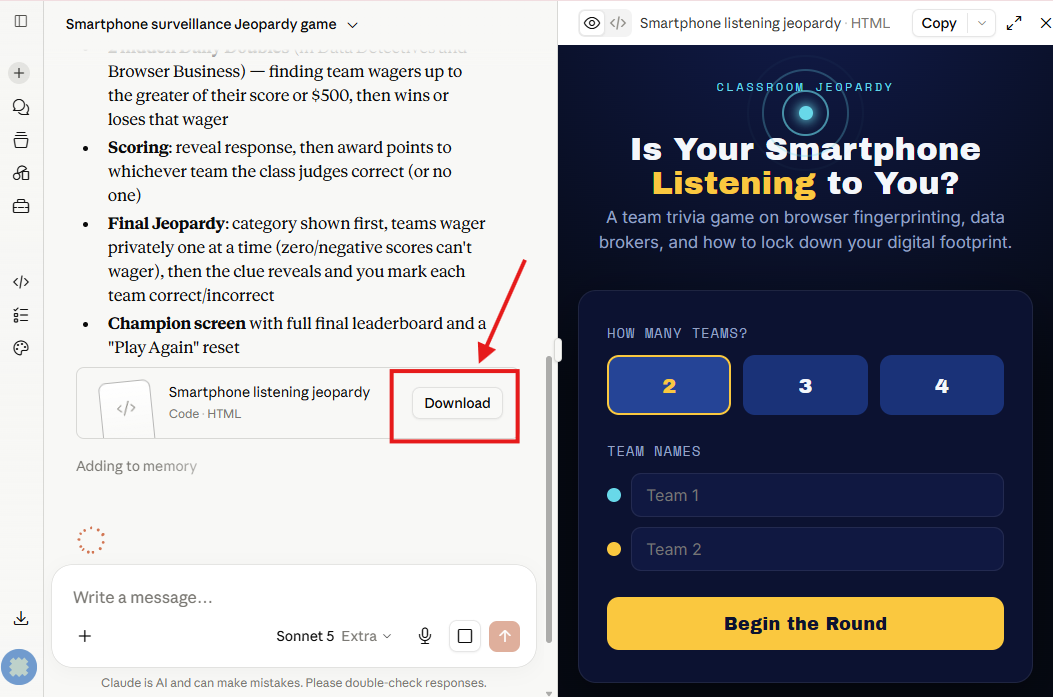
- When you are happy with the game, click on the Download button to save the HTML file to your laptop, and make note of where you saved it.
Step 9
- Find the HTML file you just downloaded in your file manager and double-click on it to open it in your web browser. Set up two teams, give them fun names, and play through a few clues, a Daily Double, and Final Jeopardy to make sure everything works, including the scoring.
- Another way to create a Jeaporday game is to ask your GenAI tool to:
- Only generate questions and answers for the game, inlucing extra questions for each category (I ask for 10 questions for each category).
- Review the quesitons and answers, deleting poor questions, until you have 5 questons for each category.
- Use the updated questions and answers text with the App Generation prompt in Step 2.
Step 10 (Optional)
- Want to make the game your own? Try follow-up prompts like these to customize the look and feel, or to make the game reusable with other content:
Change the colour scheme to my school's colours: [your colours here], and add a fun sound
effect when a Daily Double is revealed.
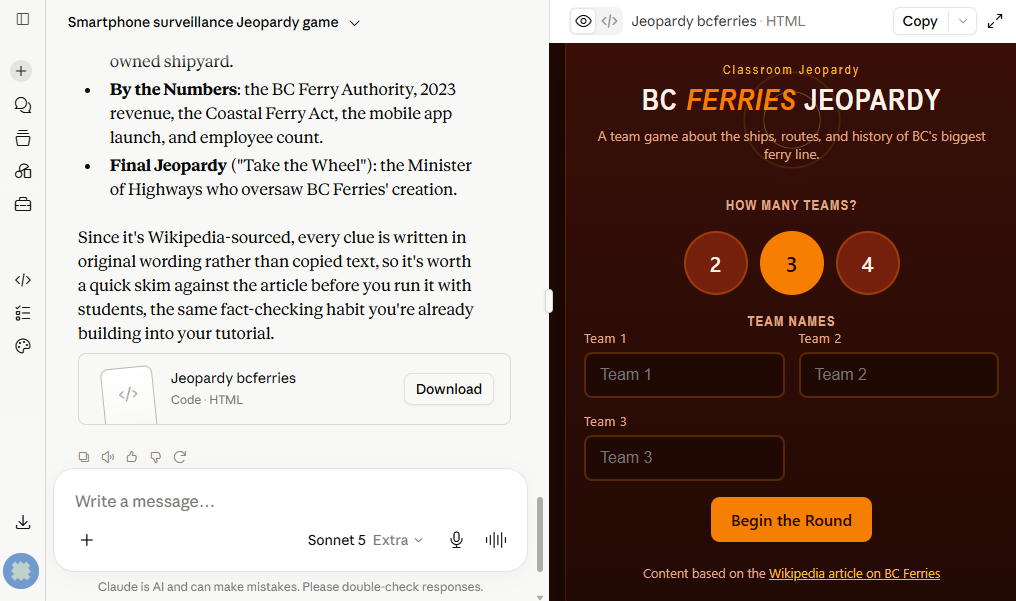
Now create a second version of the game using the content from this web page instead:
[link to another web page you know well... Maybe: https://en.wikipedia.org/wiki/BC_Ferries]
Congratulations on completing this Classroom Jeopardy vibe code project! If you’d like to share your game with students or colleagues, ask your instructor about hosting it for free on GitHub Pages, just like the example game: Classroom Jeopardy - The Future of Education.